






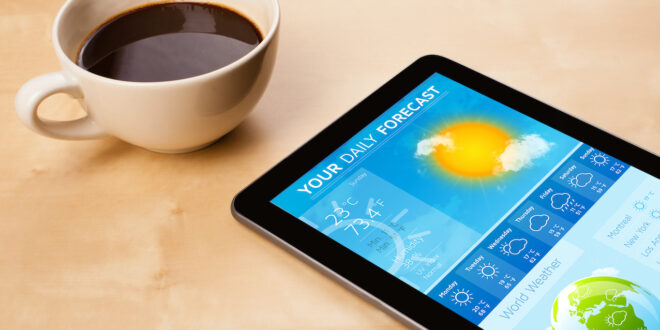
Weather is one of those things that can completely change your day, especially here in New Zealand, where a sunny morning can quickly turn into a rainy afternoon. Luckily, your smartphone can make planning around the weather a whole lot easier. From checking if it’s safe to head out for a walk to deciding whether you need an umbrella, your device offers instant, reliable forecasts at your fingertips. Even a few taps can help you dodge a downpour, protect your garden washing, or adjust your travel plans. Let’s explore how to get the most out of your smartphone’s weather features.
Built-In Weather Apps
Almost every smartphone comes with a built-in weather app. On iPhones, look for the “Weather” icon; on Android devices, it’s often labelled “Weather” or accessed via Google.
The first time you open the app, your phone may ask for permission to access your location. This is what allows it to show weather for where you actually are, rather than a random city. Simply tapping “Allow” or “While using the app” lets your phone automatically display local conditions.
Once that’s set, opening the app brings up a simple interface with the current temperature, daily highs and lows, and basic conditions like sunny, cloudy, or rainy. Most apps also let you see the hourly forecast, which can be especially handy if you’re planning an afternoon outing or a short trip.
Some apps even offer a weekly view, helping you plan further ahead. Reading these forecasts is straightforward: coloured icons usually indicate sunshine, clouds, or rain, while numbers show expected temperatures. Many apps also include “feels like” temperatures, which consider wind or humidity, giving you a more accurate sense of how the weather will actually feel. Once you get comfortable with these basics, checking the weather becomes a quick, almost automatic part of your day.
Adding Weather Widgets
If you’d rather not open an app every time you want a quick glance at the weather, consider adding a widget to your home screen. Widgets are small panels that display useful information right on your main screen. For weather, this might show the current temperature, the forecast for the day, or even an hourly breakdown.
Adding a widget is usually as simple as pressing and holding an empty area on your home screen, then selecting “Widgets” and choosing your weather app. Once it’s placed, you can often resize it or move it around so it’s easy to see at a glance. Imagine heading to the laundry and noticing the forecast predicts a sudden afternoon shower—you can decide to hang your washing earlier, avoiding a soggy surprise. Widgets save time and make weather planning effortless, right from the screen you use the most.
Beyond the Basics
Modern smartphones offer far more than simple temperature updates. Rain radar maps, for instance, show precipitation moving across your area in real time, giving you a clear picture of what’s coming and when. Severe weather alerts are another helpful feature, warning you about storms, floods, or extreme wind conditions.
If you’re travelling, your phone can track the weather in multiple locations. Add a city where family lives or a holiday destination, and you’ll know whether to pack raincoats or sunscreen. These extra tools turn your phone into a mini weather station, helping you stay prepared no matter where you are.
Everyday Benefits
The practical benefits of using your smartphone for weather updates appear in many small but important ways. Drivers can avoid hazardous conditions by checking the forecast before leaving home. Walkers and cyclists can choose the safest or most pleasant times for their outings. Even simple errands, like picking up groceries or meeting friends for coffee, become easier to plan when you know whether you’ll need an umbrella or a sunhat.
For garden lovers, smartphones can help protect plants by alerting you to incoming rain or frost. And for anyone who enjoys outdoor hobbies, having accurate, timely weather information improves safety and enjoyment. Essentially, your phone helps you make everyday decisions with confidence, removing much of the guesswork that comes with New Zealand’s changeable climate.
This series has explored just a few of the ways your smartphone can make life easier, from taking photos to managing your health and now planning around the weather. Each feature is a tool for smarter living, giving you control, convenience, and confidence in your daily routine. Take time to explore, experiment, and ask for help if needed—the more you use these features, the more natural they become. With your smartphone at hand, you’re ready to face whatever the weather—or life—throws your way.

Join the Discussion
Type out your comment here:
You must be logged in to post a comment.